Generate QR codes via a simple GET request. No API key, no signup.
GET https://qrmake.dev/api/generate?data=YOUR_TEXT_OR_URLReturns a QR code image directly. Default format is SVG.
| Parameter | Type | Default | Description |
|---|---|---|---|
| data | string | required | Text or URL to encode (max 2,953 bytes at ec=L; 2,331 at M, the default; 1,663 at Q; 1,273 at H) |
| format | string | svg | svg or png |
| size | int | 256 | Image dimension in pixels (64 - 2048). PNG rounds down to a whole number of pixels per module, so it can be a few pixels smaller |
| fg | string | 000000 | Foreground color (6-char hex) |
| bg | string | ffffff | Background color (6-char hex) |
| ec | string | M | Error correction: L, M, Q, H |
| margin | int | 4 | Quiet zone in modules (0 - 10) |
| transparent | bool | false | Transparent background (SVG & PNG) |
| download | bool | false | Set Content-Disposition: attachment |
https://qrmake.dev/api/generate?data=Hello+World&format=png&size=512&fg=2563eb&bg=f0f9ffhttps://qrmake.dev/api/generate?data=https://qrmake.dev&ec=H&margin=0&size=400<img src="https://qrmake.dev/api/generate?data=https://example.com&size=200" alt="QR code">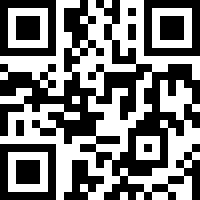# Download as PNG
curl -o qr.png "https://qrmake.dev/api/generate?data=https://example.com&format=png&size=1024"
# Download as SVG
curl -o qr.svg "https://qrmake.dev/api/generate?data=https://example.com"Returns the QR code image directly with appropriate Content-Type header (image/svg+xml or image/png). Responses carry Cache-Control: public, max-age=3600, so browsers reuse an image for an hour.
On error, returns JSON with an error field and appropriate HTTP status code.
{ "error": "missing required parameter: data" }All responses include Access-Control-Allow-Origin: *, so you can call the API from any web page via JavaScript.
No API key required. The API is a free service on shared Cloudflare infrastructure with no guaranteed capacity, so requests may fail under heavy load.